
If you’ve ever edited a video around a “close enough” track, you already know the real cost isn’t money—it’s time. You scroll through libraries, preview dozens of options, and still end up with music that doesn’t land on your cuts.
ToMusic AI Music Generator approaches that problem from the opposite direction: start with your intent in words, then generate music that fits your project—whether you need background scoring, a lyric-driven song, or something in between. In this review, I’ll break down what you can realistically do with ai music generator, how its models and controls work, and where it fits in a creator workflow.
What is AI music generator?
An ai music generator is a tool that turns natural-language instructions (and sometimes full lyrics) into complete music. ToMusic.ai explicitly frames its product around text to music and lyrics to song creation, presenting it as a single workflow where a text prompt can be transformed into “studio-quality” output without requiring traditional production setup or music theory.
What matters for creators is not whether a model can produce “a melody,” but whether it can produce something usable on a timeline: an intro that doesn’t fight your voiceover, or a vibe that stays consistent. That’s why searches like ai music generator from text exist—people want music that’s guided by intent, not chance.
Functions of Tomusic AI music generator
ToMusic emphasizes three practical pillars: creating from text, steering with customization, and organized iteration.
Text to Music & Text to Song
ToMusic.ai positions itself around transforming “text descriptions or custom lyrics into professional music.”
- For instrumental needs: It covers background scoring based on mood and genre.
- For lyric-led projects: The dedicated text to song feature allows you to turn prompts or custom lyrics into complete songs using models optimized for vocals.
Custom Length Control
ToMusic repeatedly stresses “Custom Length & Full Control.” Creators rarely need a random duration—they need a track that fits a cut. Whether it’s a 15-second short or a longer sequence, the ability to aim for custom length makes generation feel like production.
Auto-Saved Music Library
The Music Library is a cloud-based hub that automatically saves every track with its metadata (titles, tags, lyrics, parameters). This is the difference between “I made something good once” and “I can reproduce that vibe again next week.” It allows for realistic iteration rather than guesswork.
Why Choose Tomusic AI music generator
ToMusic’s positioning stands out for its “creator pipeline” approach: draft fast, refine, then export.
Four models for different output priorities
ToMusic provides access to four models (V1–V4) with distinct strengths:
- V1: Optimized for speed.
- V4: Capable of “superior vocal expression” and “extended 8-minute compositions.”
- Benefit: You can draft quickly with lighter models, then upgrade only the winners for the final production.
Exports and creator-grade utilities
Real delivery requires more than just a stream. ToMusic offers:
- Download WAV / MP3 formats
- Extract Stems & Remove Vocal: Crucial when you need a voiceover-friendly version or a mix-ready split.
Commercial license and practical “ship it” clarity
The pricing table includes a “Commercial License.” This is vital for working creators who need to publish monetized content without ambiguity. The product is pitched toward content you actually release, not just demos.
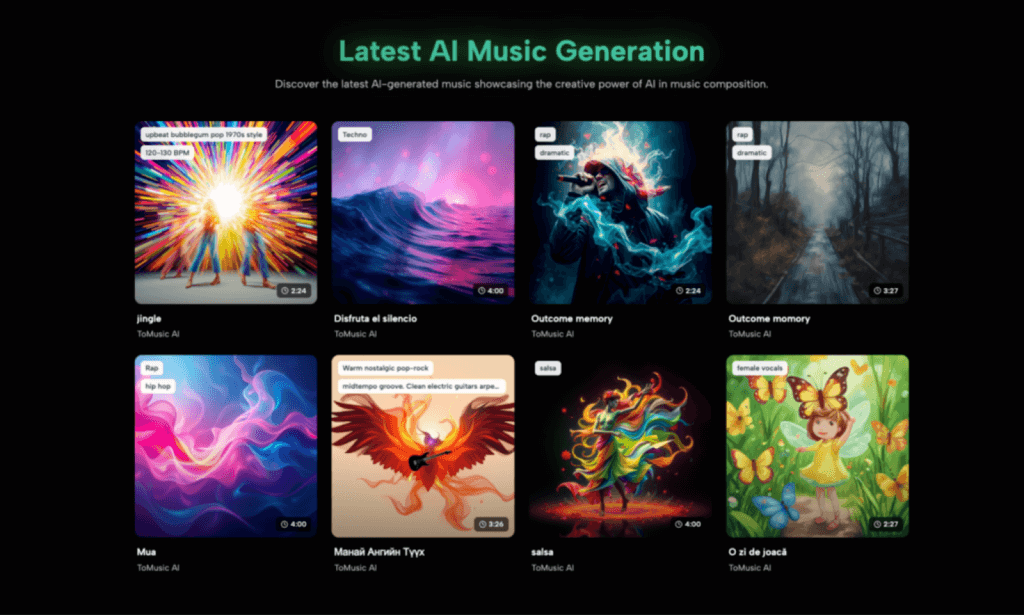
How to Use Tomusic AI music generator
The interface is designed for accessibility—zero musical background required.
Step 1: Choose Your Creation Mode
Start your session by selecting the workflow that best fits your project’s complexity. Use “Simple” mode for generating quick instrumental ideas or background loops, or switch to “Custom” mode to gain granular control over the text to song parameters, including specific lyric inputs and musical structure.
Step 2: Crafting the Perfect Prompt
To get the best result from an AI music generator from text, providing specificity is key to guiding the model.
- Genre: Clearly define the musical style (e.g., “Lo-fi,” “Cinematic,” “Rock”).
- Mood: Set the emotional atmosphere to match your scene (e.g., “Hopeful,” “Tense,” “Relaxing”).
- Instrumentation: List key instruments to guide the arrangement (e.g., “Acoustic Guitar,” “Synthesizer,” “Violin”).
Step 3: Configuring Parameters
In Custom mode, you can move beyond basic prompts to adjust the song structure precisely. This includes defining the track length (up to 8 minutes with V4), inserting structure tags like [Verse] and [Chorus] for lyrical songs, and selecting the voice model that best fits the track’s persona.
Step 4: Generate and Refine
Click generate to process your inputs. If the initial result isn’t exactly what you imagined, iterate by tweaking the prompt—adjusting keywords or tempo—or switching models to get a fresh variation. Once satisfied with the composition, download the track in your preferred format for immediate use.
Common Questions About Tomusic ai music generator
Is it only for musicians?
No. It is accessible without traditional production requirements. It transforms text/lyrics into music in a single workflow.
Can it handle different content scenarios?
Yes. It covers background scores, cinematic soundtracks, and education projects. It works well for royalty-free AI music for videos and games.
Is music truly royalty-free?
Yes. Once you generate and download a track, you have the right to use it in commercial projects without owing royalties. This solves the primary pain point for YouTubers.
How do the plans differ?
Plans vary by model access (V1–V4), export quality (WAV), utilities (stems/vocal removal), and storage. Upgrades are tied to real production needs.
Conclusion
ToMusic.ai is built around a straightforward promise: turn text or lyrics into usable music, then refine quickly.
With multi-model options (V1–V4), 8-minute song capabilities, stem extraction, and a commercial license, it reads like a product designed for publishing workflows. If your work involves turning briefs into deliverables—shorts, ads, podcasts, or lyric-driven songs—start with ai music generator.

Cassia Rowley is the mastermind behind advertising at The Bad Pod. She blends creativity with strategy to make sure ads on our site do more than just show up—they spark interest and make connections. Cassia turns simple ad placements into engaging experiences that mesh seamlessly with our content, truly capturing the attention of our audience.